Start with the exact platform
Use the exact product listing to compare the intended task, fitting and included components. Product capabilities are specific to the chosen model.
$32.99
Free standard US shipping
Contiguous 48 states & DC · 4–7 business days total
30-day returns
Merchant-paid return shipping. Read the policy
Questions about this item? [email protected]
Product brand: PlayVital
The details
Product Features:
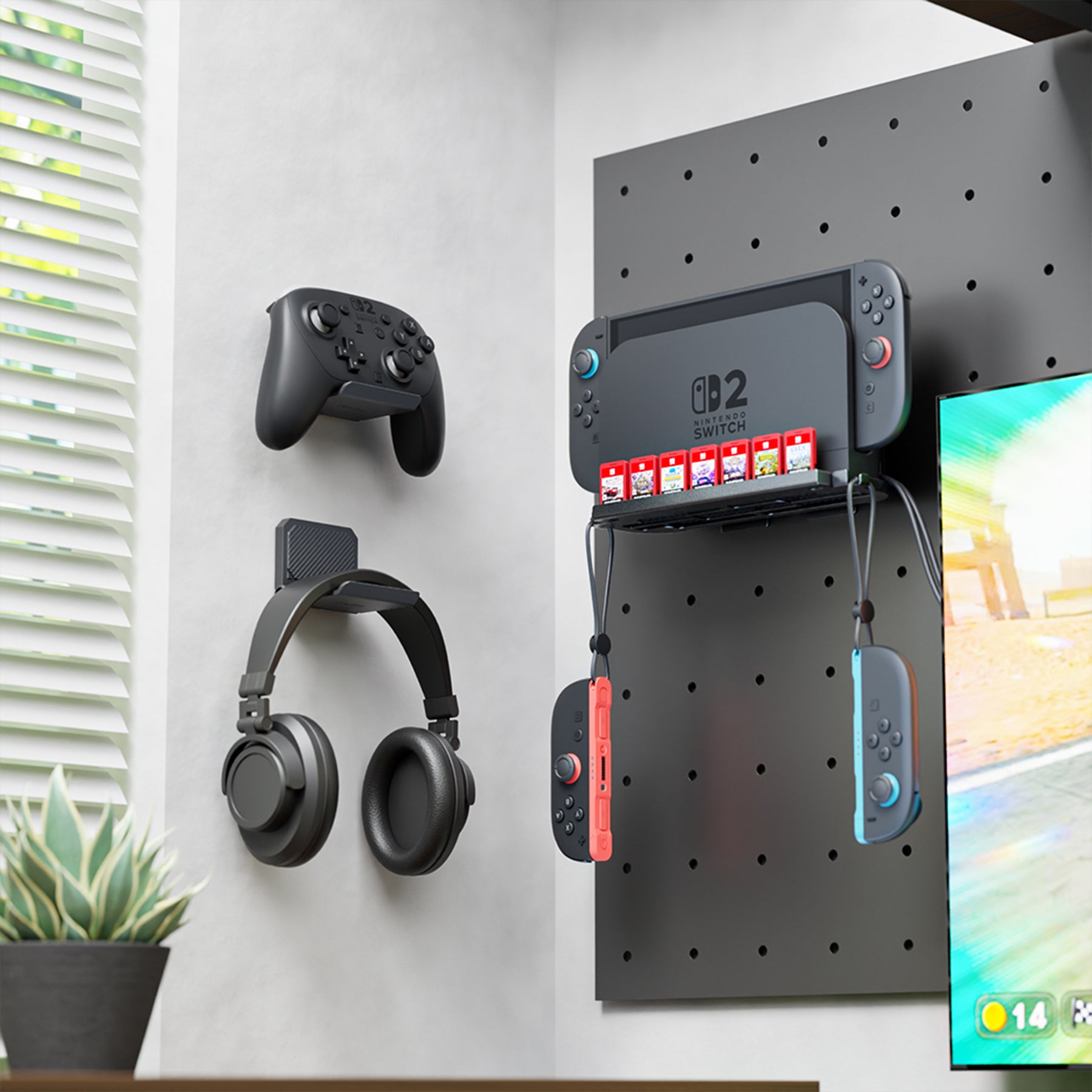
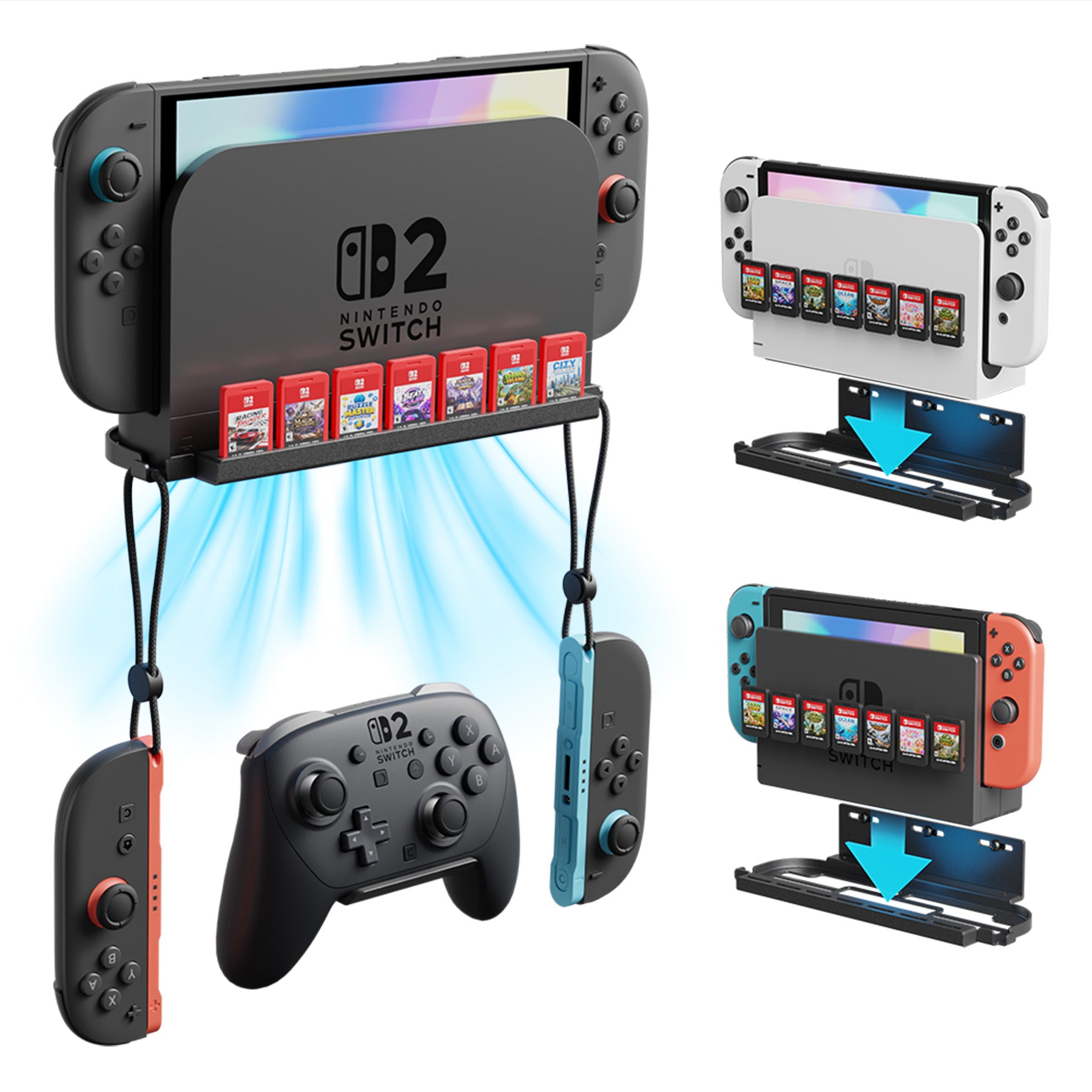
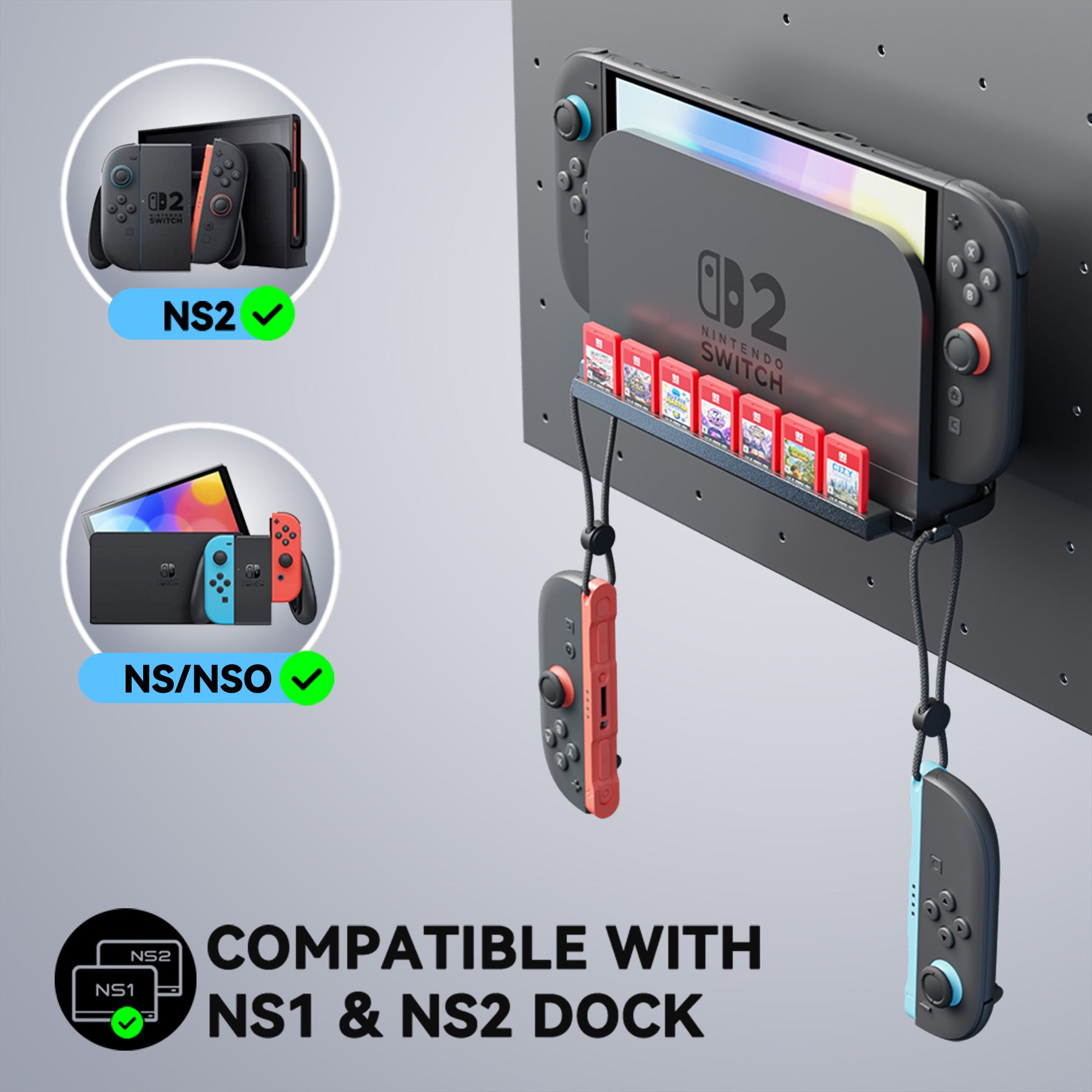
1. A cleaner setup for a wall-mounted TV, desk or entertainment center. The PlayVital metal wall mount bracket is built for Nintendo Switch 2 dock and compatible with Nintendo Switch 1 & OLED Model docks. It supports the dock with the console seated, helping move the dock off the desk while keeping HDMI, charging, cable and button areas accessible for TV mode use.
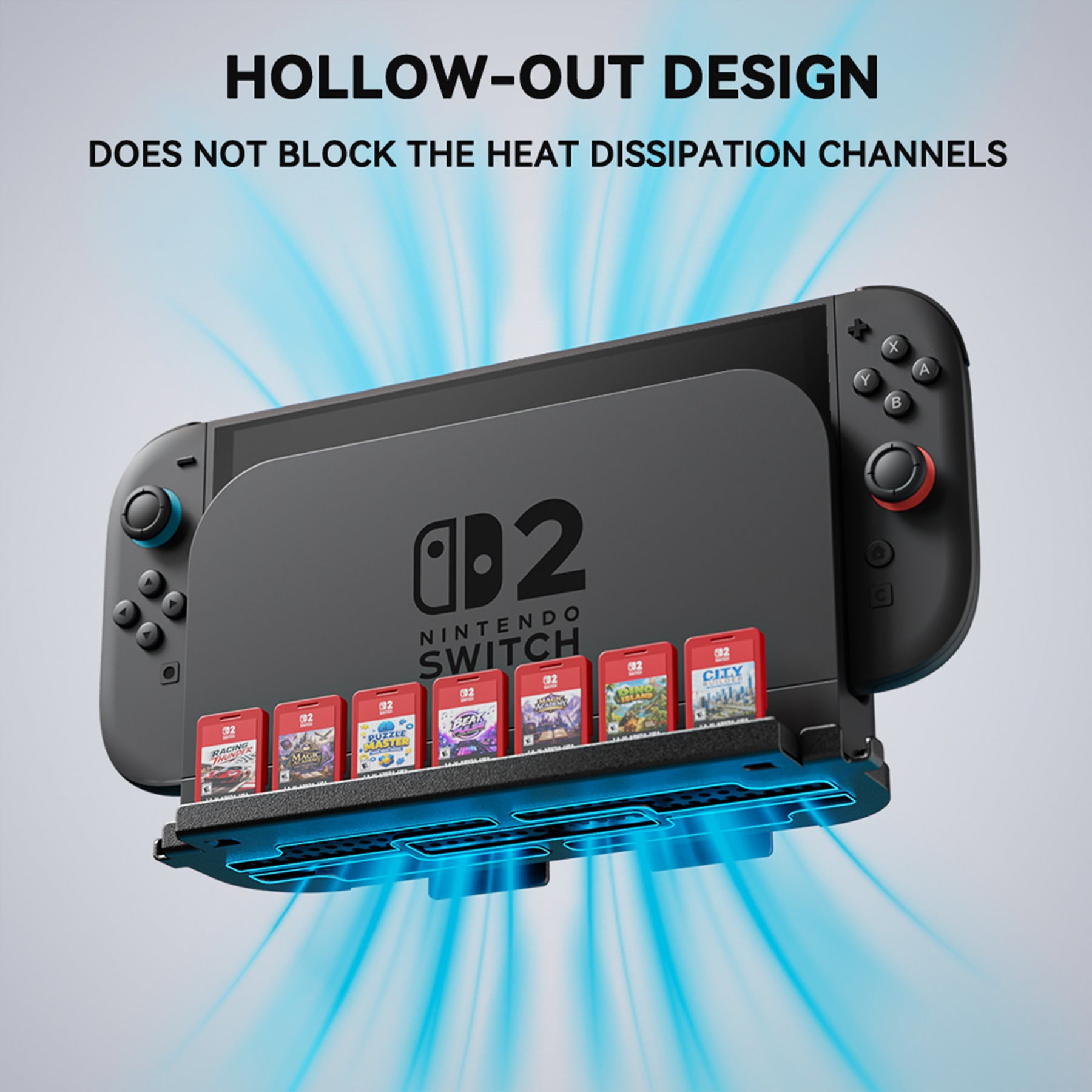
2. The 2-in-1 metal frame uses 3-point screw fastening to help keep the dock steady on the wall. Its open hollow cutouts and bottom slots help maintain airflow around the dock and console, so your setup stays open instead of enclosed.
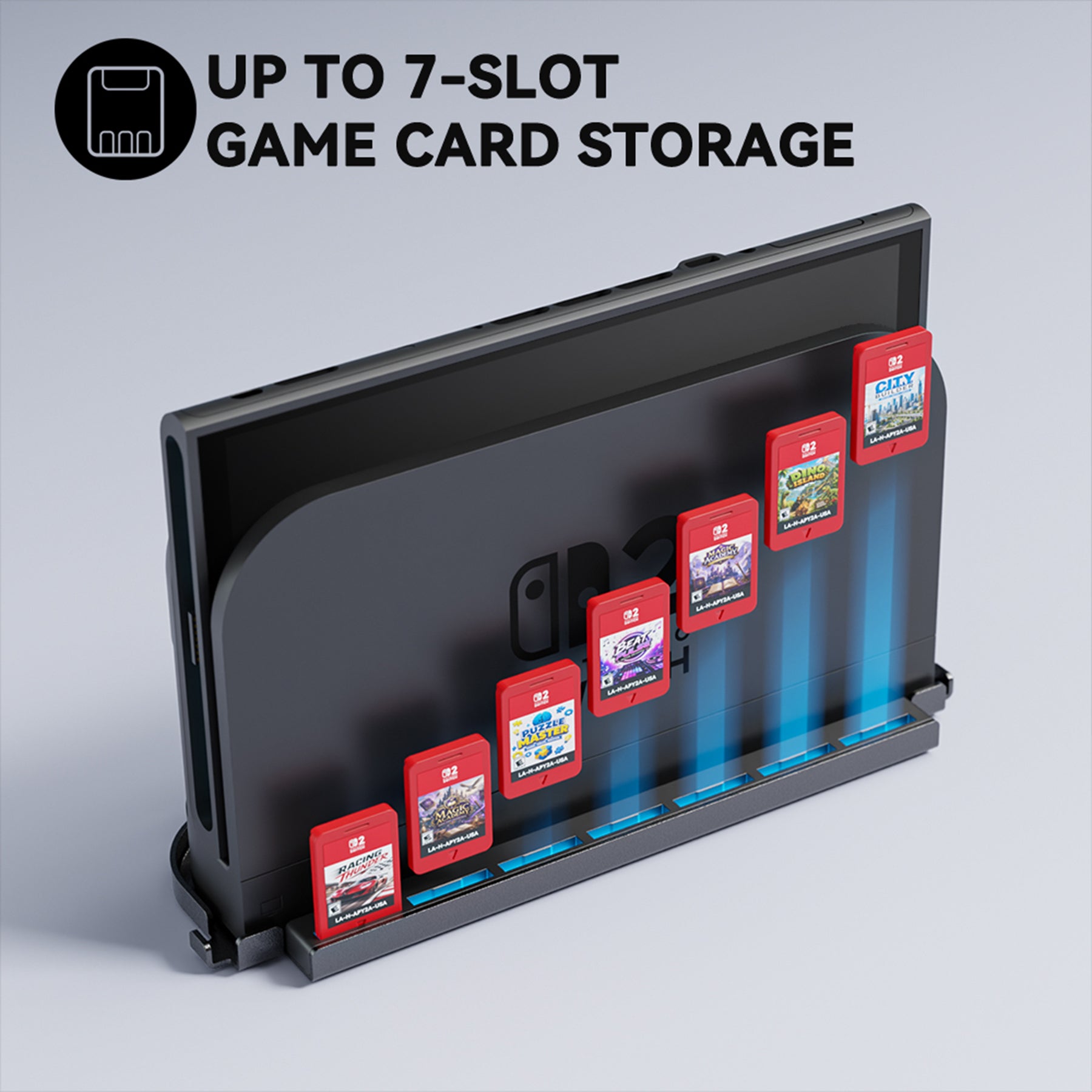
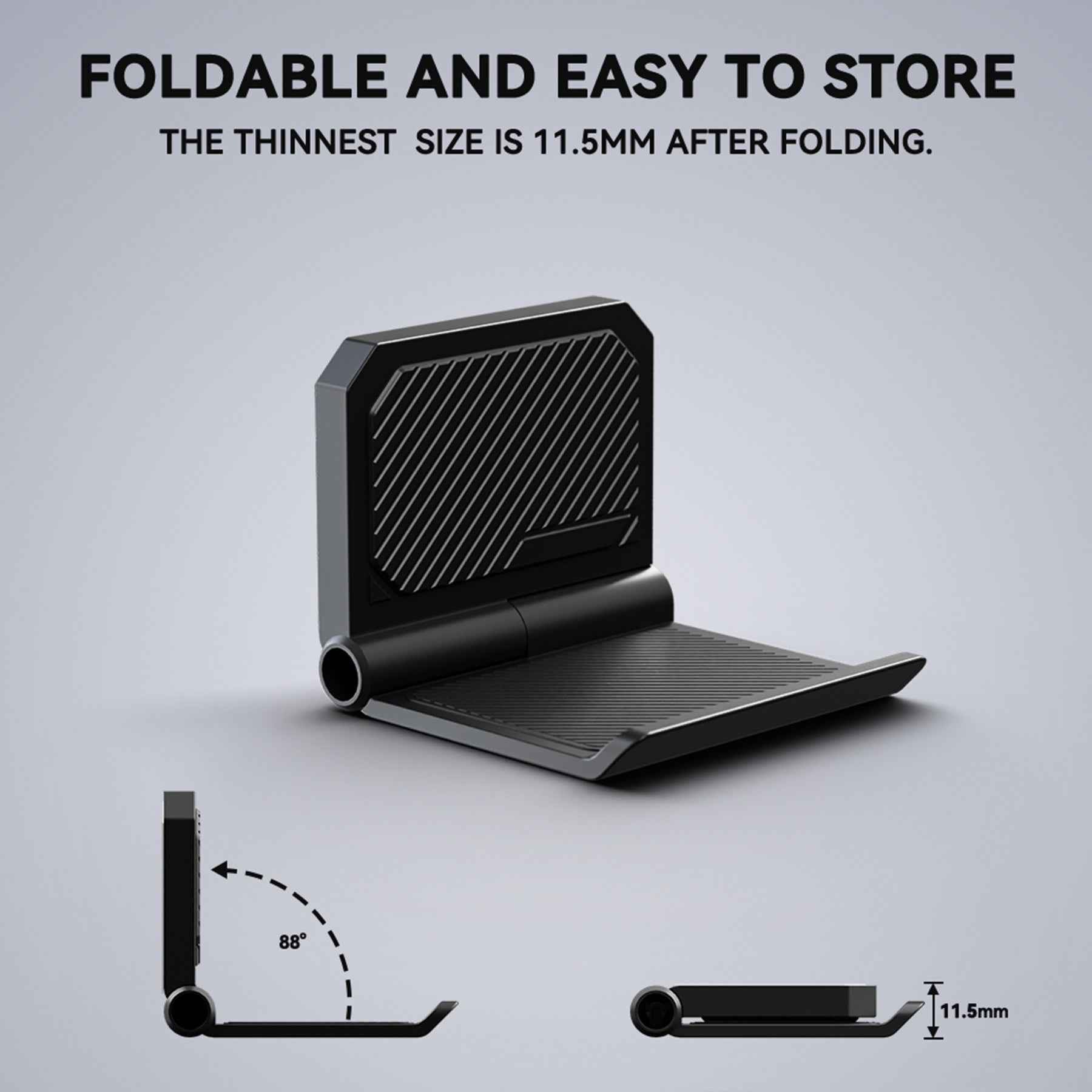
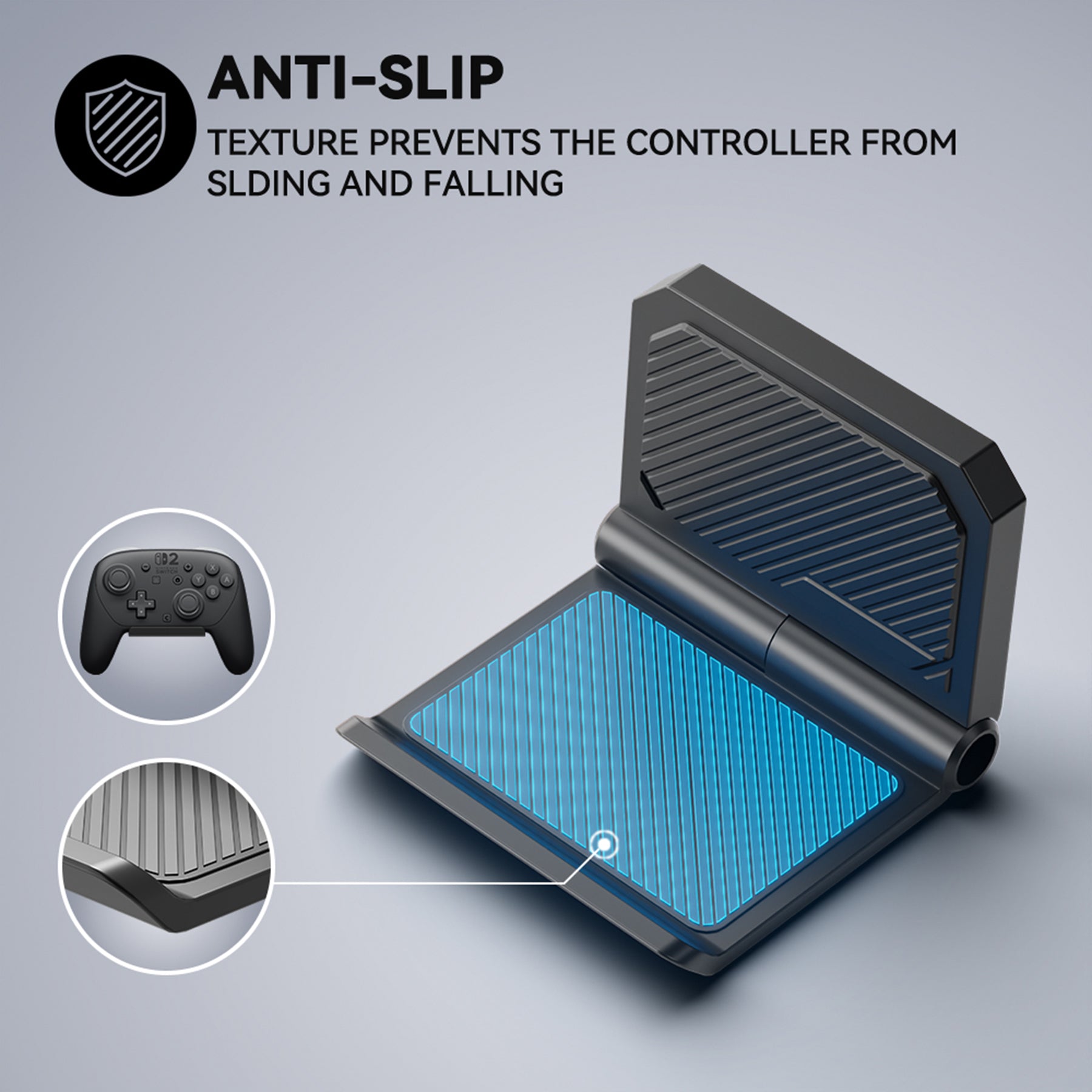
3. The silicone card strip stores up to 7 game cards, while 2 foldable controller wall mount holders add extra storage for controllers or gaming headsets.
Installation Notes:
1. Guide and video are provided; follow either or both.
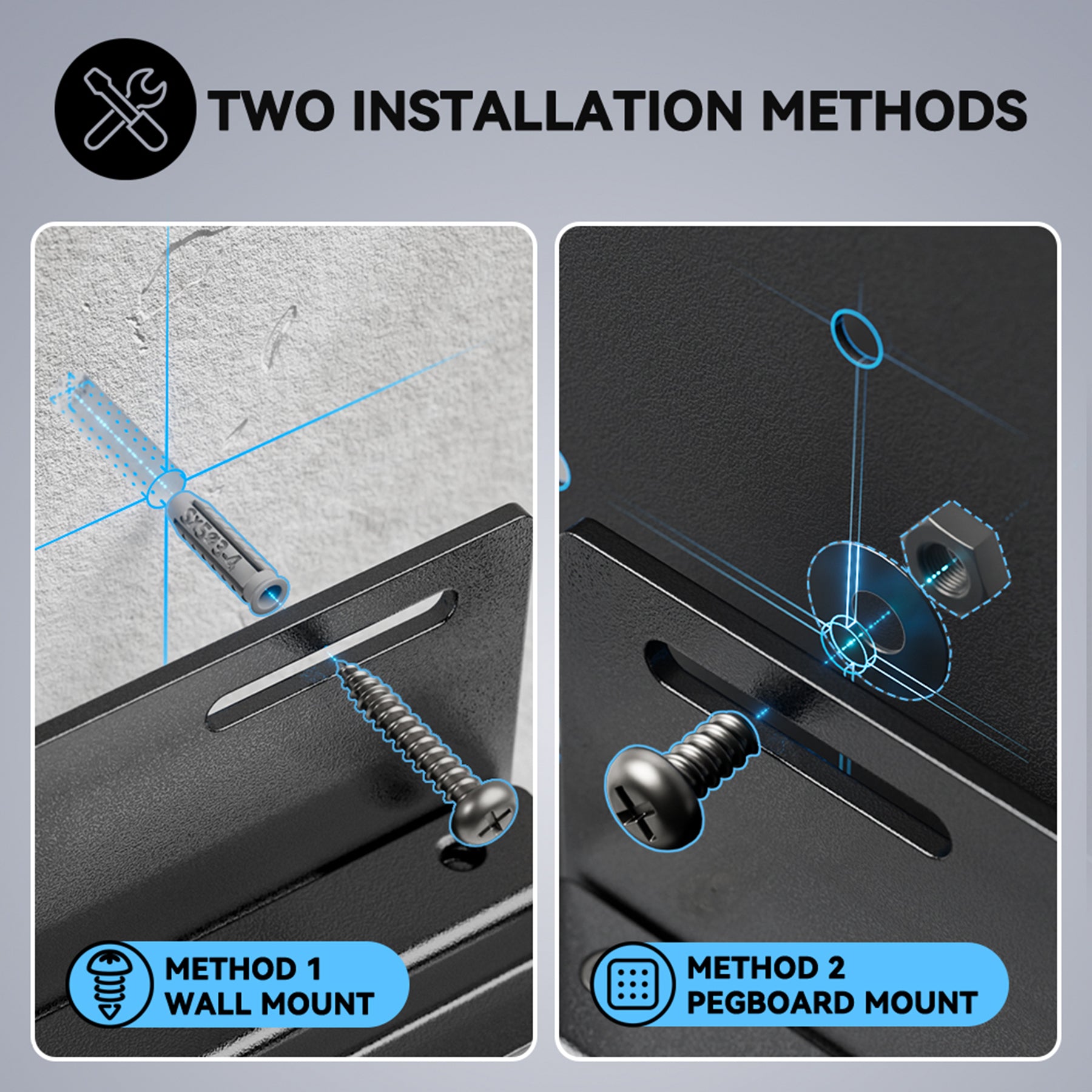
2. For the metal bracket, attach the silicone card strip first. Pegboard installing: fasten with screws, washers and nuts. Wall installing: mark holes, drill, insert anchors and screw in.
3. Foldable holders install with adhesive or screws. For adhesive, press on a smooth surface and wait 2 hours before hanging controllers/headsets. Use screws on rough, painted, brick or concrete walls, or for Switch/Switch OLED consoles. Check screws/adhesive regularly.
Product Care Instructions:
1. For the metal bracket, install in a clean indoor area away from direct sunlight, heat sources, kitchens and bathrooms. Wipe the coated metal surface with a dry soft cloth only. Do not use harsh cleaners on the coated surface.
2. For the foldable controller holders, check the adhesive pads and screws regularly after installation.
Package Includes:
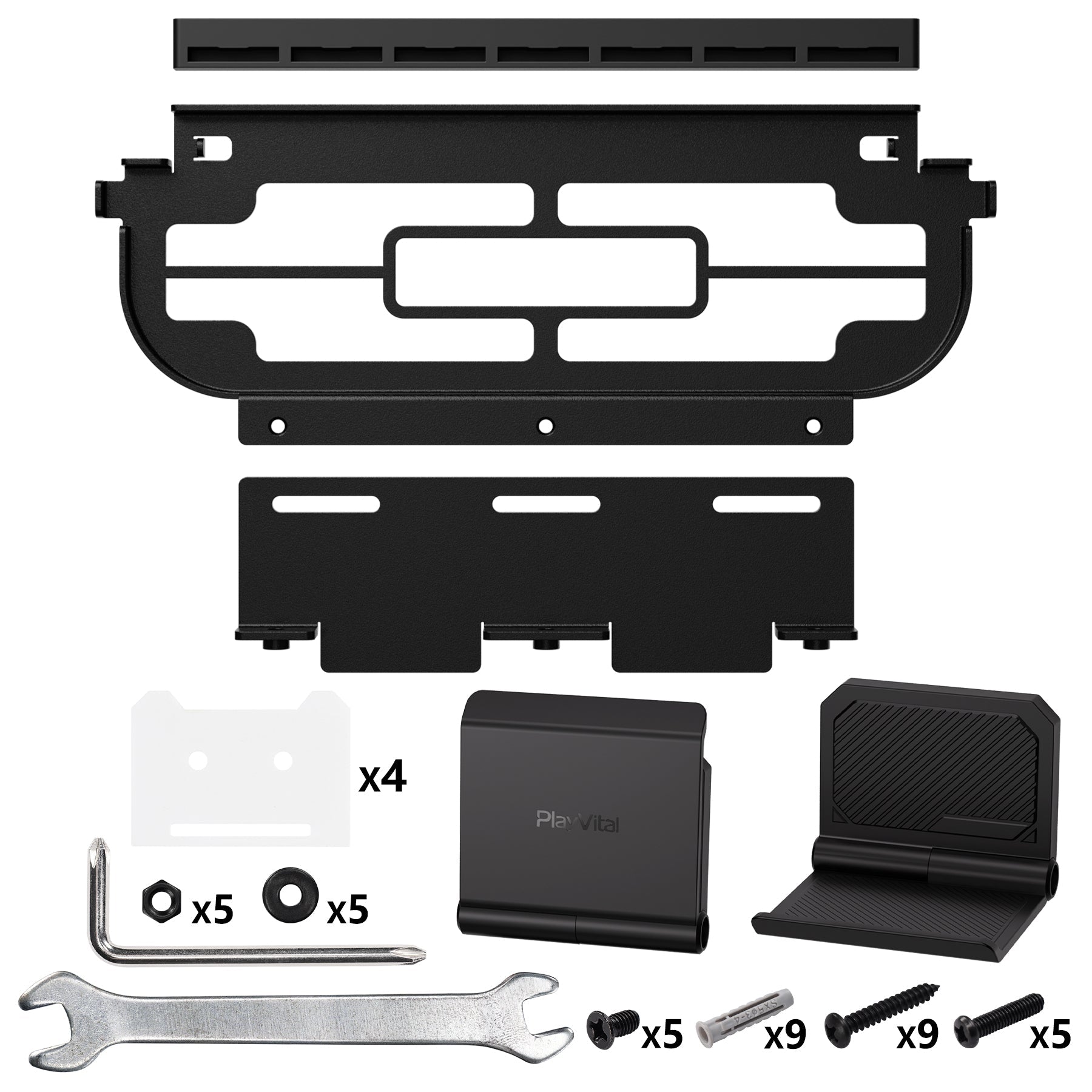
1 x Metal 2-in-1 wall mount bracket
1 x Silicone 7-card strip
2 x Universal foldable wall stand
4 x Adhesive pads for foldable wall stand
1 Set of screw kit for metal wall mount
1 Set of accessory tool kit with nuts, washers and screwdriver
1 x Instruction manual
Note:
Console, dock, game cards, controllers and headsets are not included.
Know the fit
3. The silicone card strip stores up to 7 game cards, while 2 foldable controller wall mount holders add extra storage for controllers or gaming headsets.
2. For the metal bracket, attach the silicone card strip first. Pegboard installing: fasten with screws, washers and nuts. Wall installing: mark holes, drill, insert anchors and screw in.
1 x Silicone 7-card strip
Choose & use with care
Use the exact product listing to compare the intended task, fitting and included components. Product capabilities are specific to the chosen model.
Compare the listed dimensions, capacity and actual option labels with your available space or equipment before ordering.
Use the care and handling directions supplied for the selected product. Contact our team with the SKU if a detail is not stated.
Follow the instructions supplied for the exact product. Features, limits and care directions are specific to the selected model.
Order preparation takes 1–3 business days, followed by 3–4 business days in transit: 4–7 business days in total. Standard shipping is free to the contiguous United States and DC, with no minimum order.
Request a return within 30 calendar days after delivery. We pay return shipping. After receipt, inspection and initiation of an approved refund take 5–7 business days.
Before you decide
Start with the exact platform. Read the actual item description, included parts and options. The collection contains different models; a feature stated for one item should not be assumed for every product.
Check model compatibility. Compare the dimensions and compatibility stated for the selected item with the space or equipment you intend to use. If a required measurement is absent, send the product name or SKU to [email protected] before purchasing.
Available choices are shown on the individual product page. Select the actual option labels before adding a variable product to your cart. Photos and specifications should be read together with that choice; availability is specific to the selected configuration.
Review what is included. Follow the instructions supplied for the exact model. Do not assume that all items have the same materials, installation method, care directions or intended use.